
Ten years ago, companies managed solo workers the same way they’d done for decades; scheduled calls, buddy-checks, maybe even a log book. Someone working alone would have check-in times, and if their call wasn’t answered? Then the clock began ticking until someone noticed something was wrong. The problem with that is that by the time someone did notice, valuable time had already been lost.
That’s all changed. Modern alert systems have transformed how organizations monitor the status of employees working without direct supervision.
What Changed?
Well, at first it may seem like not all that much. But the systems themselves are not simply upgraded walkie-talkies or phone apps. These are systems, fully integrated monitoring systems that actively monitor and respond to the situation of an isolated employee.
The biggest change has come not through the addition of technology alone, but in a shift from passive to active monitoring. The old methods depended on the individual monitoring themselves, or someone noticing if they’d failed to check-in. Modern systems remove that issue by continuously monitoring for deviations from expected behavior.
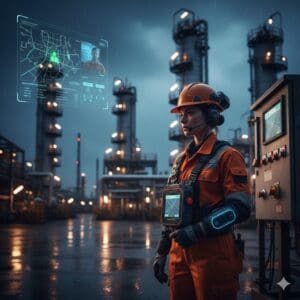
What does that look like? A worker in a confined space is wearing monitoring equipment. The device has registered their presence and is monitoring their actions. If it detects a fall, their lack of movement after a specific period, or they manually trigger an alert, the system immediately notifies their supervisor and emergency contacts. There are no missed check-in times. No delays. Just immediate alerts.
On the surface, the technology behind these devices appears fairly basic. GPS tracking, motion sensors, and communication modules. Yet the development lies in how these separate technologies have been synthesized into a functional and effective device. Modern devices don’t just monitor where someone is. They also monitor how they move, what their activity patterns are, and they adapt to different working environments. The system realizes when a worker has fallen as opposed to simply sitting at their desk.
Why Did Companies Actually Change?
Companies adopted this technology initially out of economic necessity. The costs associated with incidents where workers have been injured, incapacitated, or killed while working alone begin to add up very quickly. The costs of medical fees and treatments, insurance claims, internal investigations, legal fees, and the fact that the worker won’t be returning to work anytime soon all add up. One incident may result in hundreds of thousands in costs. Compared to that cost, the technology that may help prevent such an incident seems reasonable.
Other factors drove companies towards adopting these systems and techniques. Regulations around duty of care have tightened up in recent years, especially concerning employees working under hazardous conditions. It isn’t enough anymore to say that you’ll check-in on a worker every hour and hope for the best. Organizations must be able to demonstrate action and documented protection offered to the employee while they’re working in potentially hazardous conditions. Organizations found that keeping lone workers safe required more than good intentions, it needed verifiable systems that could prove proper oversight.
Insurance companies have also played a part in pushing organizations towards this technology. A number of companies now offer reduced premiums for businesses that use certified monitoring systems. Others even require them as part of their policy in certain industries. The message is clear: companies without proper lone worker protection are going to pay for it one way or another.
How Do the Systems Work?
Most of the systems in use today combine both hardware (devices) and software (monitoring platforms). The employee working alone will carry a dedicated device. It may not just be their cellphone; modern devices tend to be custom made rather than relying on personal cellphones). These devices have communication capabilities and environmental sensors on them. They communicate with central monitoring stations that monitor multiple workers at any given time.
What monitoring techniques do these systems utilize? Basic GPS monitoring allows for real-time tracking of each employee who is being monitored. Other sensors provide movement statistics on each worker. This will pick up on falls, impact incidents, or long-term lack of movement from the employee. Some environmental sensors also register things like gas levels or extreme environmental conditions like temperature or humidity.
The devices allow for two-way communication. Supervisors can send messages to different devices to verify the state of a worker’s operation or modify the monitoring process according to circumstances by providing verbal communication (as opposed to written). Workers can also report their own status through the devices by sending text messages instead of making phone calls.
What Has Changed in Actual Work Processes?
Monitoring equipment has changed the way certain jobs operate literally. Field technicians who once worked completely independently now work with an entire safety net below and above them. Even when they’re alone, they know someone is watching over their shoulder as they work. Their job safety has improved noticeably over previous years due to this technology.
Management can no longer claim they don’t know what’s going on on-site with their field workforce. Supervisors have dashboards that actively monitor workers within the field service jobs they manage. These dashboards display each monitored worker’s status, position, and recent activity logs all in real-time. This level of monitoring isn’t about micromanagement though. (Although initial reactions from workers often involve fears of micromanagement). When something goes wrong in the field (an incident or workplace injury), these logs provide irrefutable timelines regarding what occurred during that event.
Another aspect is that this data generated by these monitoring systems aids in planning safer processes in future situations or even assesses previous incidents that occurred involving another worker completing the same task or job opportunity.
What Changed for Workers?
Reactions from employees have varied tremendously over these systems’ implementation over the last few years (even the last year or two). A number of employees appreciate the extra layer of safety it provides them while working in potentially dangerous situations. Some people working as field technicians may not actually consider their job as dangerous but knowing an alert will go out if something happens to them does provide peace of mind.
Other employees didn’t like feeling like they were being tracked constantly in comparison to other workers who had more traditional oversight techniques implemented by management; such as scheduled phone calls or even face-to-face reporting sessions. The question around privacy also arises frequently with these devices.
These devices do track where individuals are and what they’re doing during work hours on-site. Most companies have addressed this concern pre-emptively by ensuring that workers are only monitored while on duty rather than off duty too, being completely transparent about what data is collected on these devices, and keeping communication regarding this data closely tied to instances of safety rather than productivity (although it may indirectly also assist with productivity tracking).
Training requirements have also changed since these devices have been implemented within workplaces relying on field technicians practicing under this business model within their organizations. Workers must know how to use their devices accurately now, when they’re supposed to trigger an alert if something has happened to them or when they must respond during recordings completed by management teams or supervisors reviewing potential incidents after they’ve occurred.
This has caused additional pressures during training for employees entering these firms; but most adapt relatively easily as these devices often have fewer trigger buttons on them than people think. These buttons are also often designed specifically for stressed interactions rather than standard interactions (by designing paths that make sense under duress rather than asking users to behave normally).
Where Is This Going?
The systems currently in use may seem advanced already, but development never sleeps in technological fields. Device developers are currently working on installing AI algorithms within these devices to distinguish between genuine alerts and false alerts triggered by individual idiosyncrasies (or mistakes).
Other developments are also taking place to reduce the size (and increase the battery lives) of such devices rather than integrating additional functions within such systems/devices. These developments keep manufacturers focused on ensuring such devices fulfill one primary purpose adequately before adding other benefits: protecting lone workers according to legal standards and industry expectations.
Alternatively, integrated safety systems are becoming more popularized too; combining tracking devices with access control system checks or other cohesive workplace identification system checks.
Wearable technology is experiencing rapid development too; but other fields focus somewhat on reducing the “cool” factor associated with wearables in exchange for reducing stigmas linked to wearing medical alert bracelets or the like in work premises/patterns; however generally “cool” wearable technologies (like smartwatches) do hold promise for extending functionalities related to work focused devices as well.
Some devices currently under development plan to track biometric data as well; such as stress levels (which may assist with alerts even when individuals don’t consciously create situations triggering alerts) which provides additional levels of protection for anyone still working within dangerous conditions.
The lone worker concept has changed irrevocably within organizations using these systems within their businesses though; they’re no longer isolated even when they may work independently from others on specific projects.
The old methods of calling/communicating periodically with these employees have been fully replaced by actively protecting their lone worker status while being able to assist them immediately when an incident occurs rather than waiting until someone recognizes something may be wrong with them (based on standardized expected behavior).
In other words, these lone workers are no longer truly alone, and whether that’s considered positive or negative depends on individual perspectives of the reader.
